Many users want to reduce desktop clutter because a crowded computer screen can make even simple tasks feel slower and more tiring. Files pile up, screenshots stay scattered, old shortcuts remain in place, and unfinished downloads begin to cover the workspace. Over time, the desktop stops feeling like a helpful starting point and starts feeling like a storage shelf for everything that never found a better home.
Computer organization specialists explain that desktop clutter is not only a visual issue. It can also affect how quickly users find important files, how often they feel distracted, and how comfortable the computer feels during everyday work. Productivity researchers also note that a cleaner screen often supports clearer thinking because the user sees only what matters right now instead of every unfinished item from the last several weeks.
Why It Helps to Reduce Desktop Clutter Early
Desktop clutter usually builds gradually. A document is saved there “for now,” then a photo export joins it, then several screenshots, then installers, notes, and project folders. Because the desktop stays visible, users often stop noticing how crowded it has become until opening the computer starts to feel mentally heavy.
Digital workflow experts explain that a crowded desktop creates two kinds of pressure at once. First, it makes the screen harder to scan quickly. Second, it turns every login into a reminder of dozens of unfinished or misplaced items. That combination can make the computer feel more demanding than it really is.
Experts recommend dealing with desktop buildup before it becomes a larger cleanup project. Smaller resets are usually easier and safer than one big rushed reorganization later.
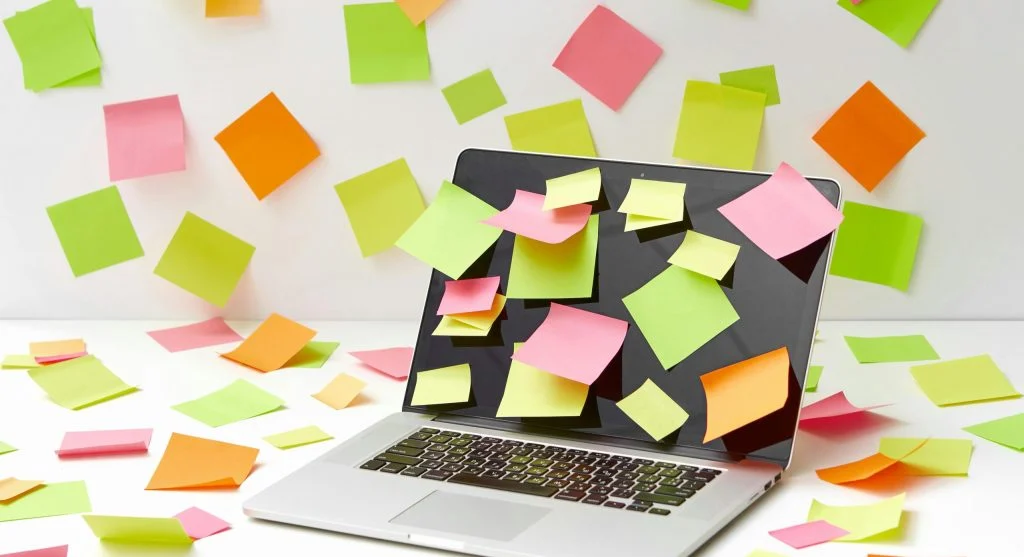
How to Reduce Desktop Clutter by Starting With the Obvious Items
One of the easiest ways to reduce desktop clutter is to begin with the items that clearly do not belong there anymore. Old screenshots, duplicate files, outdated shortcuts, finished project folders, installers, and temporary downloads are often the best first targets because they create space quickly without requiring difficult decisions.
Computer support teams recommend doing a fast first pass before building a perfect organization system. The goal at this stage is not to solve every file question. It is to remove the items that are obviously finished, repeated, or no longer useful. Once those are gone, the remaining desktop becomes easier to understand.
Experts suggest aiming for visible improvement first. A desktop that is half as crowded already becomes much easier to manage than one that still looks untouched.
Why Screenshots Often Create More Mess Than Expected
Screenshots are one of the most common causes of desktop buildup because they feel small and harmless. A user may capture one image for reference, then five more for shopping, work notes, travel details, or quick reminders. Weeks later, the desktop may hold dozens of image files that are no longer relevant.
File management educators explain that screenshots deserve special attention because they are often temporary by nature. Many are useful only for a short task and do not need long-term desktop space. A regular screenshot review can remove a surprising amount of clutter without touching more important work files.
Experts recommend sorting screenshots by date and deleting the oldest irrelevant groups first. That often produces a cleaner screen with very little risk.
How Shortcuts and Real Files Should Be Treated Differently
Some desktop items are actual documents or folders. Others are only shortcuts that point somewhere else. This difference matters because shortcut overload creates visual clutter even when very little real storage is involved. A screen full of app shortcuts, browser shortcuts, and old folder links can make the workspace feel crowded even if the files themselves are stored elsewhere.
Usability researchers explain that shortcuts should earn their place by saving time regularly. If an app is opened every day, a desktop shortcut may make sense. If it is rarely used, the shortcut may only be adding noise. The same is true for old project links that no longer support daily work.
Experts recommend keeping only the shortcuts that clearly reduce effort. Everything else can usually be reached through search, the app list, or organized folders instead.

Why Creating a Few Main Folders Makes Cleanup Easier
Many users struggle to organize the desktop because they try to decide the perfect destination for every file immediately. A better approach is often to create a small number of clear holding folders first, such as Work, Personal, Photos, Temporary, and To Sort. This reduces the number of hard decisions needed during cleanup.
Productivity specialists explain that broad folders work because they turn chaos into manageable categories quickly. A document does not need its final permanent place right away to stop cluttering the desktop. Moving it into a clear folder already improves the workspace and creates time for more careful sorting later.
Experts recommend using simple folder names that match real daily life. Folder systems work better when they are easy to understand at a glance rather than too detailed from the start.
How a Temporary Folder Can Prevent the Desktop From Filling Again
One useful habit is keeping a single “Temporary” or “Drop Here” folder on the desktop for short-term files. This gives users a place for quick saves without letting those items spread everywhere across the screen. Instead of saving five unrelated files to five random positions, the desktop holds one controlled entry point.
Workflow researchers explain that this works well because it respects real behavior. People often do need a fast place to save something in the moment. The problem is not temporary saving itself. The problem is when every temporary save becomes a permanent visible object. One controlled folder keeps that habit from turning into visual clutter.
Experts recommend emptying that folder regularly so it stays useful. A temporary folder only helps if it remains smaller than the mess it was meant to prevent.
Why the Wallpaper and Visual Style Matter Too
Desktop clutter is easier to tolerate when the wallpaper is busy, but that does not mean it is easier to use. Highly detailed backgrounds can make file names and folders harder to read, especially when the screen is already crowded. A simpler visual style often makes organization feel easier right away.
Computer usability analysts explain that the best desktop backgrounds usually support contrast and calm rather than competing with file icons. When the screen is visually quieter, users can spot what belongs there more quickly and notice when clutter begins to build again.
Experts recommend choosing a background that makes the desktop easier to scan. A calmer screen often supports better file habits without any technical change at all.
How Small Daily Habits Keep the Desktop Manageable
The desktop usually becomes messy again for the same reason it became messy the first time: small habits continue without review. Files are saved quickly, old project items remain after work is finished, and temporary material never gets moved. That is why one cleanup helps, but daily or weekly habits help more.
Digital organization researchers recommend a short desktop reset at the end of the day or week. Move finished files into folders, delete outdated screenshots, and remove old shortcuts that no longer help. These short reviews usually take only a few minutes and prevent larger clutter from returning.
Experts say the best desktop systems are not perfect systems. They are systems users will actually maintain without stress.
Why a Cleaner Desktop Makes the Whole Computer Feel Better
Users often think desktop cleanup is only about appearance, but the effect is usually broader. A cleaner desktop can make the computer feel easier to open, easier to navigate, and less mentally crowded. The first screen users see each day shapes how the rest of the work session begins.
Productivity educators explain that this is why desktop cleanup often feels surprisingly satisfying. It improves not only file access, but also the overall relationship between the user and the computer. The device starts to feel like a tool again instead of a reminder of unfinished digital piles.
Experts say the best way to reduce desktop clutter is simple: remove the obvious leftovers, group what remains into a few useful folders, and keep the visible workspace focused on current needs rather than old file habits.
Frequently Asked Questions
Q: What is the fastest way to reduce desktop clutter?
A: Experts often recommend starting with old screenshots, duplicate files, outdated shortcuts, and finished project items that clearly no longer belong there.
Q: Should users keep files directly on the desktop?
A: Some current files may belong there briefly, but most long-term files are easier to manage when moved into clear folders.
Q: Do shortcuts count as clutter too?
A: Yes. Too many shortcuts can crowd the screen visually even when they do not use much storage.
Q: Why is a temporary folder useful on the desktop?
A: It gives users one controlled place for quick saves without letting random files spread across the whole screen.
Q: How often should the desktop be cleaned up?
A: A short review every few days or once a week is often enough to keep the desktop easier to use.
Key Takeaway
Learning how to reduce desktop clutter helps make a computer feel calmer, easier to navigate, and more supportive of daily work. Experts recommend removing obvious leftover files first, keeping only useful shortcuts visible, and using a few simple folders to control what stays on screen. A cleaner desktop works best when it reflects current tasks instead of storing every unfinished file decision in plain view.