
Many households have one strange internet mystery that keeps repeating. The connection feels perfectly fine in one room, then suddenly weak or unreliable just a short distance away. A video call works near the living room couch but fails in the back bedroom. Streaming runs smoothly in one corner of the house and buffers in another. The internet plan has not changed, the device is the same, and yet the experience shifts from room to room.
That is why it helps to understand why Wi-Fi works better in some rooms. Wireless internet does not spread through a home in a perfectly even way. The path between the router and the device is shaped by walls, doors, floors, furniture, room layout, and even the kinds of materials inside the house. Once users understand that signal strength is influenced by space itself, many frustrating weak-room patterns begin making a lot more sense.
Wi-Fi Does Not Fill a Home Like Water
One reason people get confused by wireless problems is that they imagine Wi-Fi spreading everywhere equally once the router is turned on. Real signal behavior is more uneven than that. A router sends out wireless coverage, but that coverage weakens with distance and changes depending on what stands in the way.
Wireless network researchers explain that Wi-Fi behaves more like something that fades, bends, and struggles through obstacles than something that fills every corner automatically. This is why two rooms separated by only a short hallway can still feel surprisingly different if one room sits behind more barriers or at a less favorable angle from the router.
Experts recommend thinking of Wi-Fi as path-dependent. The signal is only as strong as the route it has to travel.
Distance Matters, but It Is Not the Whole Story
Distance is one of the most obvious reasons a room may have weaker coverage. The farther a device sits from the router, the more the signal naturally drops. But distance alone does not explain everything. Sometimes a farther room works better than a closer one simply because the path is more open or the barriers are less disruptive.
Home internet specialists explain that users often blame distance first because it feels measurable and intuitive. But a short route through thick or dense obstacles can weaken the signal more than a longer route through open air and lighter materials. That is why the “closest room” is not always the strongest room.
Experts say distance is important, but it only becomes meaningful when combined with what the signal must pass through to get there.
Walls Change More Than Most People Expect
Walls are one of the biggest reasons some rooms behave worse than others. Not every wall affects Wi-Fi the same way. A light interior partition may have only a modest effect, while thicker walls or denser building materials can reduce signal much more strongly. The number of walls also matters. Two or three layers between the router and the device can create more weakness than users expect.
Connectivity engineers explain that the signal loses strength each time it encounters something solid. That does not mean every wall creates disaster, but it does mean rooms separated by several barriers often start at a disadvantage before the device even begins streaming, calling, or downloading.
Experts recommend paying attention to the route, not just the map. A room with three walls between it and the router is rarely experiencing the same Wi-Fi as a room with one clear opening.
Floor Changes Can Be Harder Than Room Changes
Many people notice weaker Wi-Fi on a different floor of the home, especially upstairs bedrooms, basement offices, or loft spaces. Vertical distance often creates more difficulty than people expect because the signal may have to cross a floor structure as well as furniture, walls, and room contents above or below.
Network support analysts explain that a device on another floor is not only farther away in a straight-line sense. It is also dealing with a more complex path. This is why a room directly above the router can still perform worse than a room farther away on the same level.
Experts often recommend treating floor changes as a major part of wireless troubleshooting rather than assuming that “not very far” means “easy for the signal.”
Furniture and Objects Quietly Influence Coverage Too
People often think of walls first, but furniture and room contents matter too. A router surrounded by shelving, large cabinets, electronics, or dense household items may start from a weaker position. A device used in a room full of heavy furniture may also receive a more complicated signal path than expected.
Interior technology researchers explain that objects do not need to fully block the signal to influence it. Sometimes they simply make the route more difficult or reduce the openness the signal would otherwise have. This is especially noticeable when the router is tucked behind a TV unit, placed low among storage items, or surrounded by other electronics in a crowded corner.
Experts say a room can become a weak room not because it is far away, but because both the router and the receiving device are boxed into less favorable physical spaces.
Room Purpose Often Reveals the Problem Faster Than Speed Tests
One helpful way to understand weak Wi-Fi rooms is to notice what people try to do in them. A kitchen may seem fine because people only glance at recipes or messages there. A bedroom office may seem terrible because it is used for video meetings. The signal may not be wildly different, but the task reveals the weakness more clearly in one space than another.
Digital workflow researchers explain that the same connection can feel acceptable for casual scrolling and frustrating for streaming, classes, or calls. That means some rooms appear “bad” not only because they are weak, but because they are where demanding online activities happen most often.
Experts recommend thinking in terms of room purpose. The most important wireless problem is not the room with the lowest signal on paper. It is the room where weak signal keeps interrupting real life.
Doors, Hallways, and Openings Can Help More Than People Think
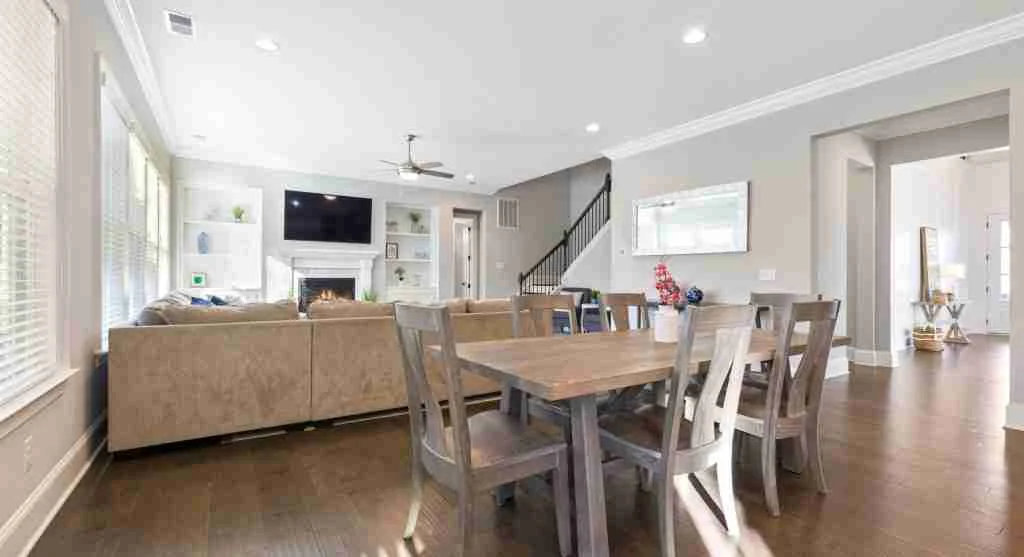
Not every room is cut off equally. Rooms connected by wider openings, open-plan spaces, or less obstructed hallways often receive better Wi-Fi than rooms of similar distance with more closed-off paths. This is one reason some homes feel surprisingly uneven even when the square footage is modest.
Home layout specialists explain that openness gives the signal a cleaner route. A room that “sees” the router through an open doorway may perform better than a nearer room hidden behind multiple corners and barriers. In that sense, room geometry can matter just as much as room location.
Experts say users often discover this informally: one chair in a hallway works better than a desk in a closed room. That pattern usually points to layout, not to random behavior.
Why One Device Can Make a Room Look Worse Than It Is
Sometimes the room is not the only problem. A device with weaker wireless hardware, more background activity, or older software behavior may struggle more in a room that another device handles acceptably. This can make users think the room is the only cause when part of the issue belongs to the device itself.
Consumer tech support teams explain that room-related Wi-Fi problems are easiest to understand when users compare more than one device in the same place. If every device struggles there, the room likely has a real coverage issue. If one device struggles much more than another, both room and device factors may be shaping the experience together.
Experts recommend treating room weakness as a pattern to compare, not a conclusion to assume from one device alone.
What Usually Improves Weak Rooms First
The first useful step is often not a complicated network test. It is asking where the router sits relative to the rooms that matter most, how many barriers stand in the path, and whether the router is low, hidden, or pushed too far toward one side of the home. Small placement improvements can change room coverage more than many users expect.
Wireless support educators explain that moving the router into a more open, central, and slightly higher position often improves several rooms at once because it gives the signal a better starting path. If the router is currently boxed in, cornered, or stuck behind furniture, that physical disadvantage may be shaping every weak-room complaint downstream.
Experts say the simplest room-by-room Wi-Fi mystery often begins with one practical truth: signal quality depends heavily on what the home makes it travel through.
Why Understanding the House Often Matters More Than Chasing Numbers
Many users look first for a speed number that explains everything. But room-based Wi-Fi frustration is often easier to understand through the house itself. The layout, materials, floor changes, furniture, and router position tell a more useful story than one isolated speed measurement ever could.
Home connectivity researchers explain that users get better results when they start with real living patterns: where calls happen, where streaming fails, where the laptop lags, and where the signal seems to recover once they move a few steps. Those patterns reveal how the space is shaping wireless behavior.
Experts say the best reason to understand why Wi-Fi works better in some rooms is that it turns random frustration into something the home itself can explain.
Frequently Asked Questions
Q: Why does Wi-Fi work better in some rooms than others?
A: Because distance, walls, floors, furniture, room layout, and router position all affect how well the signal reaches different parts of the home.
Q: Are walls one of the biggest reasons for weak rooms?
A: Yes. Walls can reduce signal strength, especially when several stand between the router and the device.
Q: Does Wi-Fi usually get worse upstairs or downstairs?
A: It often can, because changing floors creates a more difficult signal path than staying on the same level.
Q: Can furniture and cabinets affect Wi-Fi too?
A: Yes. Large objects and enclosed spaces can make the signal path less open and weaken coverage.
Q: What should users check first?
A: Users should first look at router placement, room patterns, barriers between the router and weak rooms, and whether the weakest room is also the room used for demanding tasks.
Key Takeaway
Understanding why Wi-Fi works better in some rooms helps explain that home wireless problems are usually shaped by space, not only by internet speed. Experts recommend looking at walls, floors, furniture, room purpose, and router position before assuming the whole service is weak. In many homes, the strongest clue is simple: the room itself is teaching you how the signal is traveling.