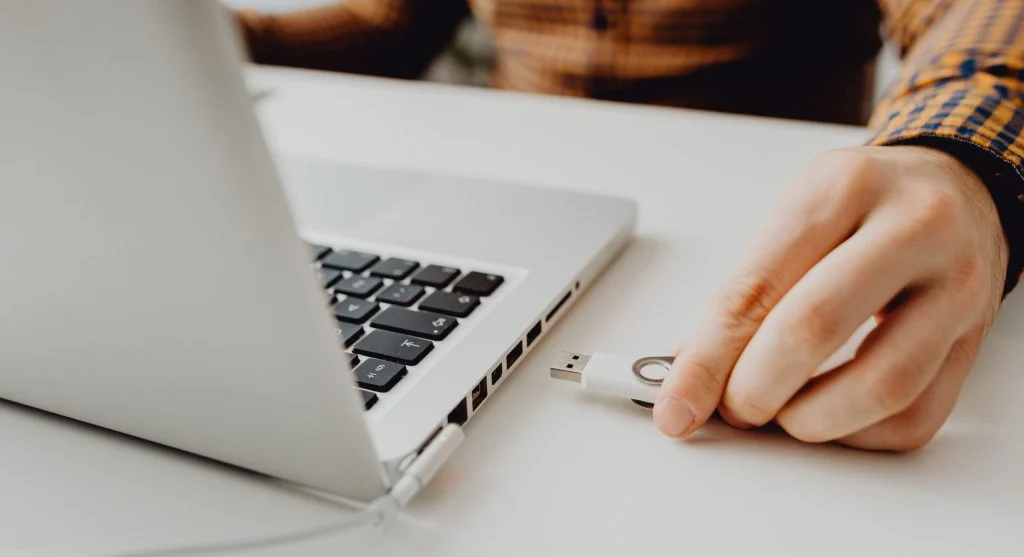
Many people think the risky part happens only after a suspicious file opens. In reality, the most important moment often comes just before that. A file may arrive through email, a browser download, a cloud link, a messaging app, or a shared folder. It may look ordinary at first glance, especially if it uses a familiar name like invoice, receipt, statement, shipping label, update, form, or schedule.
That is why it helps to check a file download before opening it. A short pause at the right moment can prevent a much larger problem later. Users do not need to become technical investigators every time they download something. They simply need a repeatable habit for spotting the files that deserve more caution before they are trusted too quickly.
Why Downloaded Files Feel Safer Than Suspicious Links
People are often careful with strange links because the danger feels visible. A strange website address, a weird message, or an obvious scam page can raise doubt quickly. A file download feels different. Once the file is sitting on the computer, it can seem more real, more local, and more under control than a random webpage did.
Online safety researchers explain that this feeling is misleading. A file on a desktop or in a downloads folder is not automatically safer just because it has already arrived. In many cases, the file itself is the part that deserves the strongest scrutiny. Familiar file names and common document labels can lower suspicion faster than a suspicious-looking site ever would.
Experts recommend remembering that location is not proof. A file sitting on the computer can still be the beginning of the risk, not the end of it.
The First Check Is Context, Not File Type
Before looking at the file itself, it helps to ask one simple question: why did this file arrive? A real download should have a reason that makes sense. Maybe the user requested a billing statement, exported a report, downloaded class materials, or received a document from someone they were already expecting to hear from.
Fraud prevention educators explain that context often reveals more than the file name. A file called “invoice.pdf” may seem ordinary, but if the user never bought anything from that company, the file already deserves caution. A document from a coworker may look believable, but if the person never mentioned sending it, that mismatch matters. The strongest early warning sign is often not technical. It is situational.
Experts recommend asking whether the file fits the conversation, the timing, and the sender. If the context feels wrong, the file should not be rushed open.
Why File Names Can Be More Manipulative Than They Look
Unsafe files often rely on names that sound urgent, useful, or familiar. Phrases like urgent payment, updated contract, voice message, payroll copy, delivery notice, scanned document, or account form are common because they are designed to feel relevant immediately. The goal is to make the user act before thinking.
Consumer safety specialists explain that a strong file name is often chosen to bypass caution. A file does not need to look strange to be risky. In fact, the more ordinary it sounds, the more easily it can slip past the user’s defenses. This is especially true when the name aims at work, money, or time-sensitive responsibilities.
Experts say a file name should be treated like a headline, not like proof. It tells the user what they are supposed to believe, not necessarily what the file really is.
How Delivery Method Changes the Risk Level
Not all downloads arrive the same way. A file downloaded directly from a trusted official account page is different from a file sent through an unexpected email attachment. A document shared inside a known workplace tool is different from one delivered in a random message thread. A browser download from a verified software source is different from a file pushed through a pop-up or shortened link.
Digital trust analysts explain that delivery method matters because it changes the chain of confidence around the file. The more clearly the user can trace the file back to a trusted source they intentionally visited, the easier it becomes to judge. The more indirect, rushed, or unfamiliar the path feels, the more careful the user should be.
Experts recommend judging the route as much as the file itself. A trustworthy file usually has a trustworthy path behind it.
What Suspicious Downloads Often Have in Common
Many suspicious downloads share the same behavioral pattern even when the file names differ. They arrive with pressure. They claim urgency. They ask the user to act quickly. They appear without a clear reason. Or they are delivered through a route that feels more accidental than intentional.
Cyber safety researchers explain that risky files often depend on speed and uncertainty. The sender wants the user to feel that opening the file is the fastest way to solve the problem. A shipping issue, invoice question, missed message, login warning, or work review may all be used as excuses to make the click feel reasonable.
Experts often recommend paying attention to emotional push. The more the file tries to create pressure, the more calmly it should be reviewed first.
Why “Looks Like a PDF” Is Not Enough
People often relax when a file appears to be a document, especially a PDF, image, or spreadsheet. That makes sense because those formats are common in normal daily work. But a familiar format name alone does not make the file harmless. The real issue is whether the file matches its source, purpose, and path.
Computer support educators explain that users sometimes rely too much on the general category of the file and not enough on the overall situation. A document file from the wrong sender, arriving at the wrong time, with no clear reason, can still be part of a scam or unsafe attempt even if the file extension itself looks ordinary.
Experts recommend combining file type awareness with source awareness. One without the other is often not enough.
The “Can I Verify This Another Way?” Test
One of the safest habits is to ask whether the file can be verified through another route before opening it. If a bill arrives by email attachment, the user can often check the real account dashboard directly. If a coworker sends an odd document, the user can ask in a separate message whether it was actually sent. If a service claims there is a form to download, the user can go to the official app or website instead of trusting the file first.
Trust and verification researchers explain that this test works because it removes pressure from the file itself. Instead of deciding everything based on the download alone, the user looks for a second source of truth. That second route often reveals whether the file belongs to a real process or whether it only exists inside the suspicious message.
Experts recommend using independent confirmation whenever the file involves money, login access, work documents, legal matters, or personal information.
Why Downloads Folder Habits Affect Safety Too
A crowded downloads folder can make file judgment harder. When dozens of old documents, installers, images, attachments, and duplicate files are sitting in one place, a new suspicious file can disappear into the clutter more easily. The user may open the wrong file later or lose the context of where a specific download came from.
Digital organization specialists explain that cleaner downloads habits support safety as well as tidiness. When users regularly sort or remove old downloads, the newest file stands out more clearly and is easier to evaluate in the moment. Confusion drops when the folder reflects current activity instead of months of leftovers.
Experts recommend reviewing the download while the reason for it is still fresh. Waiting too long often removes the very context that would have helped make a safer decision.
What To Do When a File Feels “Off” but Not Obviously Fake
Not every risky file announces itself dramatically. Sometimes the file just feels slightly wrong. The message wording is odd, the sender is unexpected, the timing does not fit, or the filename seems too generic for something that should be more specific. Those softer doubts are worth respecting.
Fraud response educators explain that uncertainty is itself an important signal. Users do not always need to prove the file is unsafe before choosing caution. A file that cannot be explained confidently can simply wait while the user checks the sender, the account, or the official source through another method.
Experts say hesitation is often healthy in these situations. A few extra minutes of checking is far cheaper than rushing open the wrong file.
Build One Repeatable Rule Before Every Open
The strongest protection is not memorizing every dangerous file pattern. It is building one small repeatable rule before opening anything important: stop, confirm the source, confirm the reason, and confirm the path. If those three things make sense, the file has a much stronger case. If even one feels unclear, the file can wait.
Digital safety instructors explain that a simple rule works better than vague caution because it gives users something practical to do. The goal is not to feel anxious about every download. It is to replace automatic opening with a short, reliable decision process.
Experts say the best way to check a file download before opening it is to treat the moment before the click as the real safety point. Once that habit exists, many risky files lose their biggest advantage.
Frequently Asked Questions
Q: What should users check first before opening a downloaded file?
A: The first check is usually context: why the file arrived, whether it was expected, and whether the sender and timing make sense.
Q: Are common document files always safe?
A: No. A familiar-looking document can still be risky if it arrives through the wrong source or does not match a real expected reason.
Q: Why do suspicious downloads often use urgent names?
A: They use urgency to push users into opening the file quickly before taking time to verify it properly.
Q: Is it safer to download files from official account pages?
A: In many cases, yes. Files downloaded directly from known official sources are usually easier to verify than unexpected attachments or pop-up downloads.
Q: What should users do if a file feels suspicious?
A: They should pause, avoid opening it immediately, and verify the file through another trusted route such as the official account, website, or sender confirmation.
Key Takeaway
To check a file download before opening it is to slow down at exactly the moment when many online mistakes happen. Experts recommend judging the context, the source, and the delivery path before trusting the file name alone. The safest file-opening habit is simple: if the reason for the download is not clear and verifiable, the file does not need to be opened yet.