
Many users want to check battery health on a phone after noticing quicker battery drain, slower charging, or unexpected shutdowns. Over time, all phone batteries wear down as rechargeable cells gradually lose capacity with regular use. This is a normal part of a device’s lifespan, but understanding battery health can help users make more informed choices about charging habits and daily use.
Mobile device specialists often point out that battery health is not the same as battery percentage. A phone might show a full charge, yet still hold less total energy than it did when it was new. Technicians also note that people often blame apps or software updates when the real issue is long-term battery wear. Knowing the battery’s condition gives a clearer picture of what the device can realistically handle.
What It Means to Check Battery Health on a Phone
Checking battery health on a phone means looking at indicators or settings that show how much of the battery’s original capacity remains and whether it’s still performing as expected. A healthy battery holds more charge, delivers steadier performance, and handles daily tasks with fewer interruptions. As it ages, that capacity gradually declines.
Device support professionals explain that lithium-ion batteries naturally degrade over time due to charge cycles, heat exposure, and overall usage. This doesn’t usually mean the battery suddenly fails—it simply means it can’t store as much energy as it once could. The result is shorter battery life, even if the phone itself still functions normally.
Experts also stress the importance of distinguishing between temporary battery drain and long-term battery health. Temporary issues often come from settings, background activity, or heavy use, while reduced battery health reflects lasting changes within the battery itself.
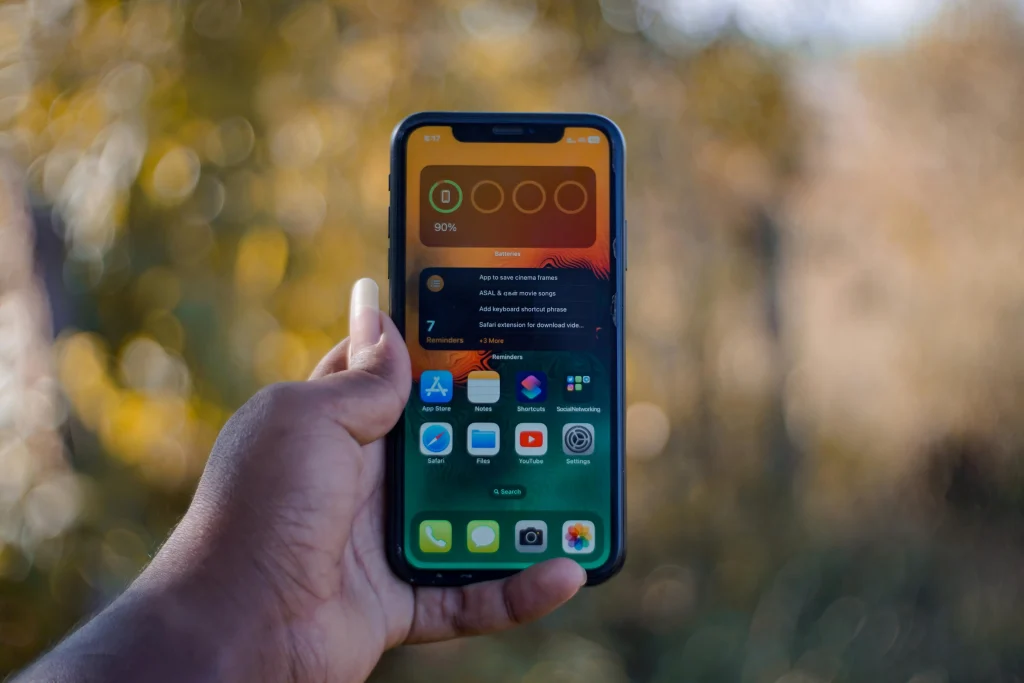
Credit: Soundarapandian MS / Pexels

Credit: Mikhail / Pexels
Why Heat Matters for Smartphone Battery Life
Heat is one of the most important factors affecting smartphone battery life over time. Phones naturally warm up during charging, gaming, navigation, and streaming, but long periods of high heat place more stress on the battery. This can reduce capacity more quickly and affect how steadily the phone performs.
Battery specialists explain that hot environments, direct sunlight, and heavy use during charging can all raise battery temperature. The phone may slow itself down when it gets too warm, which is a protective response. Even when this prevents major damage, repeated heat exposure can still increase long-term battery wear.
Experts recommend avoiding extreme heat whenever possible, especially while charging. Better temperature habits often support longer battery performance even if they do not stop normal aging completely.
How Charging Habits Affect Phone Battery Condition
Charging habits can influence how gently or heavily the battery is used over time. Leaving a phone in high heat, keeping it under heavy load while charging, or using unstable charging accessories may create more strain than normal daily charging. Consistent habits matter more than perfect habits.
Mobile hardware specialists note that most modern phones are designed with charging protections, but those protections do not erase all battery wear. Using reliable charging accessories, keeping the phone cool, and avoiding unnecessary stress during charging can help support better battery condition.
Experts also note that users do not need to become overly worried about every percentage point. Reasonable charging behavior and lower heat exposure usually matter more than trying to control every small detail perfectly.
What to Do After You Check Battery Health on a Phone
After users check battery health on a phone, the next step depends on what they find. If health still looks strong, the focus may be on better settings and app management. If capacity appears much lower or the phone shows a service warning, users may need to adjust expectations or consider professional battery service.
Support professionals recommend reviewing battery usage by app, reducing unnecessary background activity, and checking whether the device is running hot under normal conditions. These steps help separate battery wear from software-related drain. In some cases, clearing settings problems can improve daily battery life even when battery condition has declined somewhat.
Experts say the most helpful outcome of a battery check is clarity. Users can plan better when they know whether the phone needs lighter daily use, improved habits, or service attention.
Why Regular Battery Review Helps Manage Daily Use
Battery health is not something users need to check every day, but reviewing it from time to time can make device behavior easier to understand. A short check every few months, or after major battery changes, often helps users spot patterns before they become more frustrating.
Technology educators explain that users often feel more confident when they understand why a phone’s battery life has changed. Instead of guessing, they can compare app usage, charging habits, and battery condition with a clearer view of what is actually happening.
Experts recommend combining occasional battery review with practical habits such as better charging routines, lower heat exposure, and lighter background app activity. These steps support a more realistic and manageable approach to phone battery condition over time.
Frequently Asked Questions
Q: What does battery health mean on a phone?
A: Battery health refers to the battery’s overall condition, including how much of its original capacity it can still hold and how well it performs.
Q: Why should users check battery health on a phone?
A: It helps explain faster battery drain, shorter daily use time, and whether long-term battery wear may be affecting performance.
Q: Does battery health always drop over time?
A: Yes. Experts explain that rechargeable phone batteries naturally lose capacity gradually with age and repeated charging cycles.
Q: Can heat damage smartphone battery life?
A: Heat can increase battery wear over time and may reduce long-term battery performance more quickly.
Q: What should users do if battery health seems poor?
A: Users can review app usage, reduce battery strain, and consider professional service if the phone shows strong signs of battery decline.
Key Takeaway
Learning how to check battery health on a phone helps users understand whether daily battery problems come from heavy use, app activity, or long-term battery wear. Experts recommend reviewing built-in battery information, watching for repeated warning signs, and reducing heat and charging stress where possible. Better awareness of phone battery condition makes it easier to manage expectations and support longer smartphone battery life.
[INTERNAL LINKING SUGGESTIONS]
– How to Improve Smartphone Battery Life With Simple Daily Settings
– Why Phones Lag Over Time and What Settings Can Help
– How to Back Up Your Phone Photos Without Making Storage More Confusing