Many households want to understand what guest Wi-Fi does because more homes now connect not only family phones and laptops, but also visitors, delivery helpers, work devices, smart TVs, speakers, and other connected tools. Letting every device use the same main Wi-Fi may feel simple at first, but it can also make the home network harder to manage and harder to protect. A guest network offers a cleaner way to share internet access without opening the entire home setup to every device that comes through the door.
Network specialists explain that guest Wi-Fi is one of the easiest router features to overlook even though it can provide real everyday value. Home internet support teams also note that many users think of guest access only when friends visit, but the feature can also help with short-term devices, smart home separation, and reducing unnecessary access to the main network.
What Guest Wi-Fi Does in Simple Terms
The easiest way to explain what guest Wi-Fi does is that it creates a second wireless network from the same router. This second network gives internet access without necessarily giving devices the same level of access to the main home network. In practical terms, a guest device can get online while being more separate from the computers, storage, printers, and other devices used by the household every day.
Wireless support professionals explain that this separation matters because a home network is not only an internet connection. It is also a local environment where trusted devices may communicate with each other. A guest network helps reduce how much of that internal environment is exposed to short-term or less trusted devices.
Experts note that this is why the feature is useful even in homes that do not receive many visitors. The value often comes from cleaner separation, not only from hospitality.

Why Separate Wi-Fi for Visitors Can Improve Home Privacy
One of the clearest reasons to use separate Wi-Fi for visitors is privacy and control. Visitors usually need internet access, not access to the rest of the home network. A guest network helps households share the connection without sharing the same local space used by work laptops, personal devices, smart displays, and family storage systems.
Privacy specialists explain that this separation can lower risk in a simple way. Even when visitors are trusted, their devices may still carry older software, unfamiliar apps, or settings the household does not know anything about. A guest network reduces the chance that those devices are treated like full members of the main home system.
Experts recommend thinking of this as good network hygiene rather than distrust. The goal is to keep access limited to what is actually needed.
How Guest Network Explained Through Everyday Use Becomes Clearer
Guest network explained in daily terms is often easiest to understand through normal situations. A friend visits and needs Wi-Fi. A relative stays for the weekend with several devices. A child’s study group needs temporary internet access. A worker helping inside the home wants to connect briefly. In each case, the household can share internet without sharing the main network password and without mixing every outside device into the same local environment.
Home networking educators explain that this also helps with convenience. A guest network can be easier to change later if needed, and the main network password does not have to be handed out repeatedly. This reduces the long-term spread of the primary Wi-Fi password across many devices and many people.
Experts say this is one of the biggest practical benefits. The home network becomes easier to control simply because sharing becomes more structured.
Why Guest Wi-Fi Can Help With Smart Home Separation Too
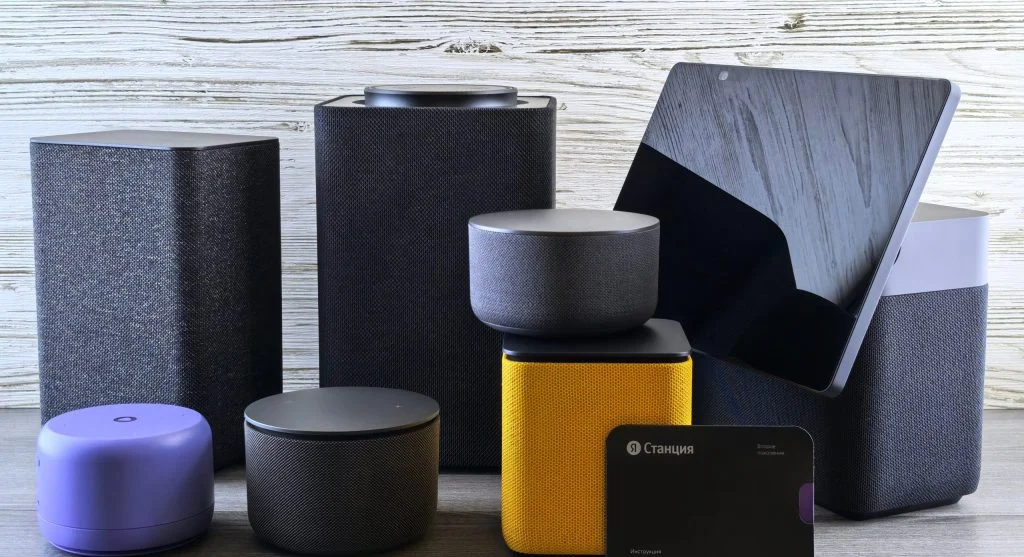
Some households use guest Wi-Fi not only for visitors, but also for selected smart home devices that do not need full access to personal computers or work devices. Smart speakers, plugs, cameras, or other simple internet-connected devices may be easier to manage when they are not mixed directly into the same network space as more sensitive personal tools.
Technology analysts explain that this depends on the home setup, because some smart devices need to communicate closely with phones or hubs on the same network. Even so, the broader idea remains useful: not every device in the house needs the same level of network trust. A more organized Wi-Fi structure often makes the home easier to understand and secure.
Experts recommend checking how the smart devices interact before moving them, but they note that guest Wi-Fi often encourages better thinking about which devices really belong together.
How Guest Wi-Fi Changes Password Sharing Habits
Many users only think about network safety when they need to change the main Wi-Fi password after it has been shared too widely. Guest Wi-Fi helps avoid that problem by creating a password meant for limited outside use from the start. This means the household can keep the main network password more private and stable.
Network security researchers explain that password sharing habits matter because the more often a main password is passed around, the harder it becomes to know where it lives. It may remain saved on old phones, temporary laptops, and devices that never return. A guest password is easier to rotate later if needed because changing it creates less disruption for the core household devices.
Experts recommend using this feature as a way to reduce future cleanup. It is easier to separate access early than to rebuild order later.
Why Guest Wi-Fi Is Not the Same as Full Security by Itself
Although guest Wi-Fi can make a network safer, it is not a complete security solution on its own. The main router still needs strong passwords, updated settings, and good network management. A weak main password, poor router setup, or outdated firmware can still create problems even if a guest network exists.
Cybersecurity professionals explain that users should think of guest Wi-Fi as one useful layer of separation, not as a replacement for broader router care. It helps reduce unnecessary access, but it does not remove the need for strong settings across the rest of the network.
Experts recommend pairing guest Wi-Fi with basic router security habits rather than treating it as the only step that matters.
What to Check Before Turning On a Guest Network
Before using a guest network regularly, households usually benefit from checking a few simple details. Does the router allow the guest network to stay separate from the main network? Can the guest password be changed easily? Is the signal strong enough in the rooms where visitors usually connect? Will the household still be able to manage the devices that need to stay on the main network?
Support teams explain that guest Wi-Fi works best when its purpose is clear. If it is only for visitors, the setup may stay very simple. If it is also being considered for selected devices, then the household may need to think more carefully about which tools still need access to each other. The feature is flexible, but clarity makes it more useful.
Experts suggest testing it with one or two devices first so the household can see how it behaves before depending on it more widely.
Why More Homes Benefit From a Cleaner Network Structure
Home Wi-Fi is carrying more responsibility than ever. It supports streaming, remote work, learning, smart home routines, guests, deliveries, and personal communication all at once. As more devices compete for a place on the network, clearer structure becomes more valuable. Guest Wi-Fi is one of the simplest ways to create that structure without buying entirely new equipment.
Home internet researchers explain that the strongest benefit often comes from visibility and control. Once the household separates short-term access from long-term trusted access, the whole network feels easier to understand. That clarity often improves daily confidence as much as it improves technical security.
Experts say understanding what guest Wi-Fi does helps households make a simple but useful choice: internet access does not have to mean full network access, and that distinction can make home Wi-Fi safer and easier to manage.
Frequently Asked Questions
Q: What is guest Wi-Fi?
A: Guest Wi-Fi is a separate network created by the router that gives internet access without necessarily giving the same access to the main home network.
Q: Why should households use separate Wi-Fi for visitors?
A: It helps share internet access without spreading the main Wi-Fi password and without mixing visitor devices into the core home network.
Q: Can guest Wi-Fi make a home network safer?
A: Yes. It can reduce unnecessary access to the main network and make password sharing easier to control.
Q: Is guest Wi-Fi only useful when visitors come over?
A: No. Some households also use it to think more clearly about temporary devices or selected connected devices that do not need full main-network access.
Q: Does guest Wi-Fi replace normal router security?
A: No. It helps with separation, but the router still needs strong passwords, good settings, and regular security care.
Key Takeaway
Understanding what guest Wi-Fi does helps households see that sharing internet access does not have to mean sharing the full home network. Experts recommend guest Wi-Fi as a practical way to give visitors online access, reduce password spread, and create better separation between temporary and trusted devices. In many homes, that small change makes the network feel cleaner, safer, and easier to manage over time.