Many users want to check battery health on a phone after they notice the device no longer lasts through the day, charges less predictably, or feels warmer than it used to during normal tasks. Battery changes usually happen slowly, which makes them easy to overlook at first. Over time, though, those small changes can affect charging habits, app performance, and how dependable the phone feels during work, travel, or everyday communication.
Mobile device specialists explain that battery health is different from one day of heavy battery drain. A temporary drain problem may come from background apps, weak signal, or extra screen use. Battery health is more about the battery’s long-term condition and how well it still holds power compared with when the phone was newer. That difference matters because the signs can look similar, even when the cause is not the same.
What It Means to Check Battery Health on a Phone
To check battery health on a phone means looking at the battery’s longer-term condition, not just how much charge is left at the moment. Battery percentage shows current power. Battery health shows whether the battery still stores and delivers energy in a stable way over time.
Phone support professionals explain that all rechargeable phone batteries change as they age. That is a normal part of use. The goal is not to stop that process completely. A more useful goal is to understand whether the battery is still working within a normal range or whether the phone is starting to show clearer signs of wear.
Experts note that users do not need to panic at the first sign of shorter battery life. A health check is most helpful when it explains patterns, rather than becoming something to worry about constantly.
Why Battery Health Matters More Than a Single Low-Battery Day
Many users assume the battery is failing after one bad day, but that is not always the right conclusion. A phone may drain faster after travel, heavy camera use, long video calls, app updates, or poor cellular signal. These are real battery demands, but they do not always point to long-term battery condition.
Battery researchers explain that battery health matters because it affects how the phone performs across many days, not just one. A declining battery may lose charge more quickly, behave less predictably in cold or hot conditions, or need charging much earlier in the day even when usage has not changed much.
Experts recommend looking for repeated patterns instead of one-off moments. Consistency usually shows battery condition more clearly than a single frustrating afternoon.
How to Check Battery Health on a Phone Through Built-In Settings
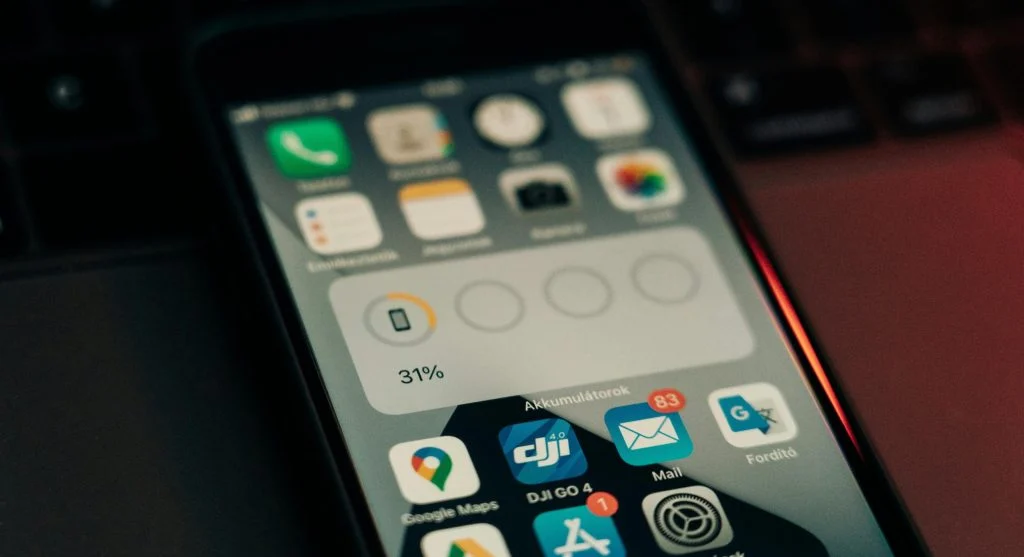
One of the easiest ways to check battery health on a phone is through the phone’s battery settings, where available. Many phones now show battery condition, usage patterns, charging behavior, and which apps are using the most power. These tools can help users understand the difference between battery aging and unusually heavy app activity.
Device support teams recommend starting with the built-in battery menu before turning to outside tools. A phone’s own settings often give the clearest first look at battery condition, especially when paired with app-by-app battery usage information. This helps users avoid blaming the battery when the real issue may be one or two demanding apps.
Experts suggest checking both the health section and the recent usage section together. The health view explains the longer-term condition, while the usage view shows what is happening right now.
Why Phone Battery Condition and App Activity Can Be Confused
Battery wear and app strain often look similar because both can lead to shorter battery life. A user may think the battery is worn out when the real cause is background refresh, social video autoplay, location-heavy apps, or cloud syncing. In other cases, the battery may truly be aging while the user assumes one app is causing the problem.
Mobile performance specialists explain that this is why a full review matters. If battery health appears stable but one app uses unusual power every day, the issue may be software behavior. If apps look normal but the battery still drops much faster than before, the battery condition may need more attention.
Experts recommend not jumping to one explanation too quickly. Battery and app issues often overlap, and a clearer review usually shows which one matters more.

What Battery Performance Signs Often Show Up First
Several battery performance signs often appear before users think to check battery health directly. The phone may need afternoon charging much sooner than before. Battery percentage may drop faster during light use. The device may feel warmer during ordinary tasks. In some cases, the phone may also slow performance slightly to help manage power and protect stability.
Device reliability researchers explain that these signs often appear gradually, which is why users may adapt to them without realizing it. Charging once during the day becomes normal. Carrying a power bank becomes routine. Dimming the screen earlier starts to feel necessary. The pattern only becomes clearer when users compare current habits with how the phone behaved months earlier.
Experts note that no single sign proves battery decline by itself. Repeated changes across several weeks usually tell the story more clearly.
Why Charging Habits and Heat Affect Battery Aging
Battery condition is shaped by time, use, and temperature. Frequent heavy charging cycles, extended heat exposure, and constant demanding tasks can all affect how quickly a battery ages. This does not mean users damaged the phone by using it normally. It simply means batteries respond to how devices are used and to the environment around them.
Battery engineers explain that heat is one of the most important factors because phones generate warmth during gaming, charging, navigation, video calls, and heavy downloads. A battery that spends more time in hotter conditions may lose long-term capacity faster than one used more lightly in cooler conditions.
Experts recommend paying attention to temperature patterns along with charging habits. A phone that often feels very warm during basic tasks may deserve closer review than one that only warms during clearly demanding use.
How to Tell When Battery Condition Starts Affecting Daily Reliability
The most useful question is often not whether the battery is perfect, but whether it still supports real daily needs. A user who works away from charging points, travels often, or depends on maps and calls throughout the day may notice battery decline sooner than someone who stays near a charger most of the time. The same battery condition may feel very different depending on lifestyle.
Mobile support educators explain that battery condition starts to matter more when users begin changing habits around it. If the phone must be charged earlier every day, if travel feels less predictable, or if important tasks feel less reliable, the battery is becoming part of the daily planning problem. That is usually when a battery health check becomes much more meaningful.
Experts recommend judging battery condition by real usefulness, not by abstract numbers alone. A battery matters most when it changes how the phone fits into daily life.
Why Regular Battery Reviews Help More Than Constant Checking
Battery status does not need to be checked every day. In fact, checking too often can create unnecessary anxiety without improving anything. A more practical approach is to review battery health occasionally, especially when the phone starts lasting less time, feeling warmer, or behaving differently during ordinary routines.
Digital device researchers recommend checking battery health every few weeks or after major usage changes instead of watching it constantly. This gives users enough space to notice real patterns without overreacting to normal day-to-day variation.
Experts say the best way to check battery health on a phone is simple: review the built-in battery information, compare it with recent app use, and watch how the device performs across real daily needs instead of treating one bad battery day as the whole story.
Frequently Asked Questions
Q: What does battery health mean on a phone?
A: Battery health refers to the battery’s long-term condition and how well it still holds and delivers charge compared with when it was newer.
Q: How can users check battery health on a phone?
A: Many phones provide battery information in the settings, including health details, usage history, and app-related battery drain patterns.
Q: Does fast battery drain always mean the battery is damaged?
A: No. App activity, weak signal, screen use, updates, and background tasks can also cause temporary heavy drain.
Q: What are common battery performance signs?
A: Shorter daily life, earlier charging needs, heat during light use, and faster percentage drops are common signs users often notice first.
Q: How often should battery health be reviewed?
A: A short review every few weeks, or whenever daily battery behavior changes clearly, is often enough.