People quite often wonder why their phones get sluggish as time goes on; you’ll notice apps take longer to open, your typing doesn’t appear immediately, the screen will stop responding, and things generally need a longer time to actually happen. But more often than not, the phone isn’t all of a sudden breaking. Instead, a phone slowing down is generally a slow process, because of a full storage, lots of things going on in the background, updates to the phone’s software, and you using it a lot.
Smartphone experts say phones are meant to do a lot of different things at the same time, however, that juggling act gets more difficult as your files get larger, you have more apps, and you don’t alter your phone’s settings for ages. Tech support people also point out that fairly basic tweaks can make a phone feel much faster than you’d think, particularly if you deal with the problem fairly soon after it starts.
Why Phones Lag Over Time When Storage Gets Too Full
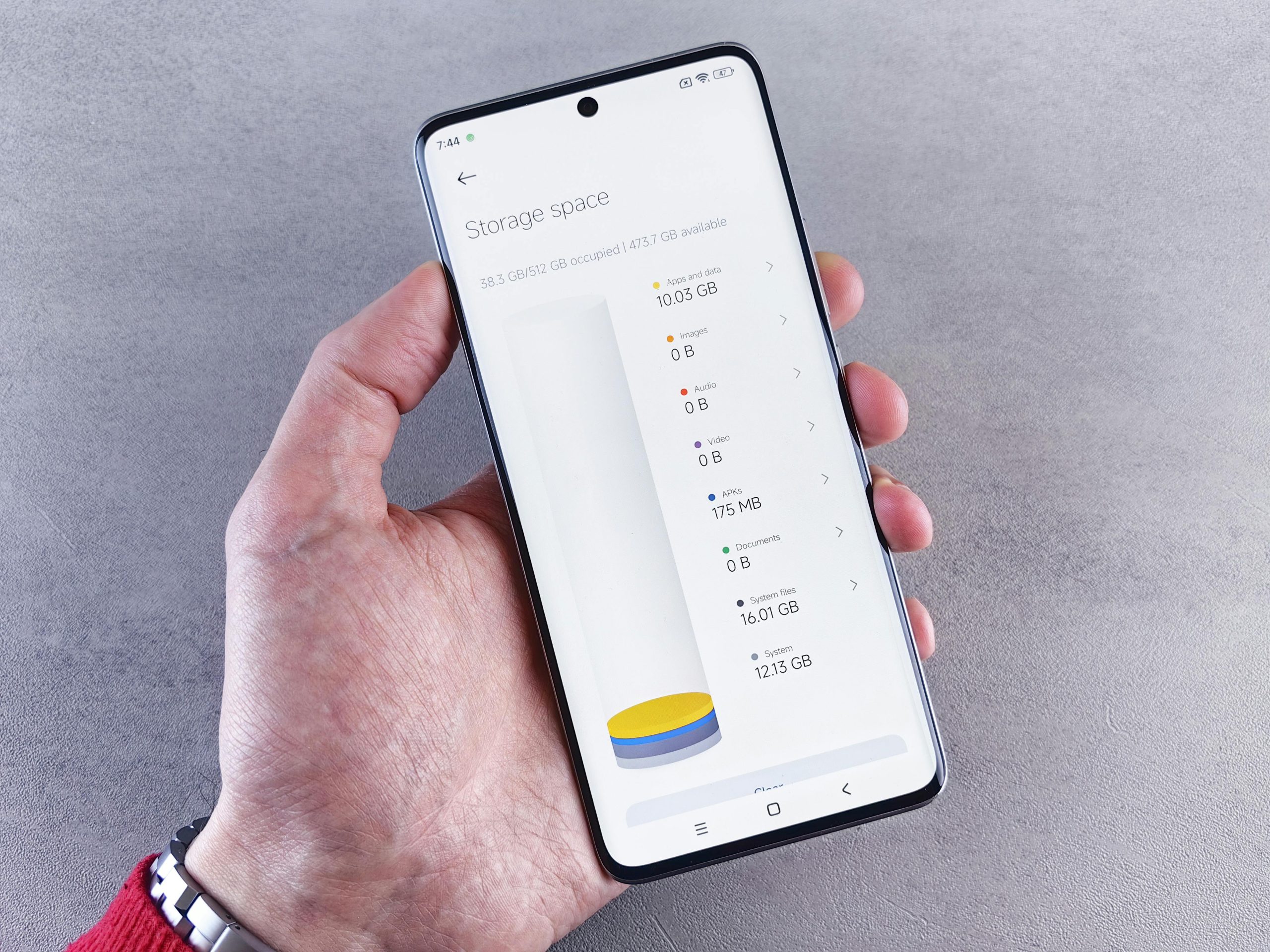
As your phone gets older, one of the things that most often makes it slow down is simply not having enough free space. Phones require empty space for things like updates, files that are only needed briefly, all the data apps store for quicker use, and all the regular work the system does. When your phone is nearly full, the operating system doesn’t have as much room to do its job well.
Phone repair people say that a phone that’s almost entirely full will even feel slower when you’re doing simple things. Opening apps will be delayed, saving pictures will take longer, and updates might not finish or will get stuck. Big videos, copies of pictures and videos, old downloads and apps you don’t use anymore are the types of things that can fill up your phone’s space before you even realize how fast it’s going.
Credit: Cottonbro / Pexels
How Background Apps Create Phone Performance Issues
Lots of apps don’t really stop just because you aren’t looking at them. They might update information, find where you are, get your files the same as other devices, or send you messages all during the day. And all that takes up your phone’s memory, battery, and processing power at once.
Phone repair people say that having apps do things in the background is okay in small amounts, but if too many are doing it, your phone will start to have problems. Social media, things that use ‘the cloud’, shopping apps, and streaming music or video are all typical of apps that are running for longer than you probably think.
What the people who know this stuff advise is to look at which apps are allowed to run in the background and cut down on how much the ones you don’t need constantly running are doing. If you lessen what’s happening secretly, your phone will get faster and your battery will last longer.
Why Cached Data and Temporary Files Build Up
Apps keep files temporarily to make things appear on your screen faster. These files accumulate and before you know it, use up a lot of room. Things like your browser, Facebook, map apps and streaming services all quietly save a good deal of data as a “cache”.
According to people who look at this sort of thing professionally, that cached data makes apps feel quicker at first, but a lot of it building up will eventually cause mess. Getting rid of the cache will sometimes help an app work better, as it deletes old or really big temporary files.
If an app is running slowly or taking up far more storage than it should, you should look at its storage settings and erase its temporary data. This is a pretty standard solution for a slow phone and won’t normally touch your own photos, documents, and so on.
Credit: Markus Winkler / Pexels
How Software Updates Affect Improve Phone Speed Efforts
Updates for your software can speed things up, yet as time passes, they can also affect how an older phone feels to use. When the operating system or apps get a new version, those versions often do things that need more of your phone’s power. And on a phone that doesn’t have a lot of storage or is getting older in terms of its internal parts, this can really slow it down.
Software professionals point out updates are still valuable for security, to correct errors, and to make the system work better overall. The problem isn’t that updates are bad in themselves, but that the latest software might not be ideal for a phone with older limitations.
To get the most from updates, and to help your phone run smoothly, experts suggest you continue updating, but also check your storage, apps running in the background, and how your phone is using its power.
Why Too Many Widgets, Animations, and Visual Effects Matter
Phones are designed to be nice to look at and feel good in your hand, yet all that lovely appearance can actually require a bit more from your phone. Things like live backgrounds, lots of movement on the screen, big widgets, and home screens that are always changing all use your phone’s power. And on some phones, this makes them work more slowly.
People who really understand how phones perform say that effects that make your phone look good don’t generally cause a huge drop in speed on their own. However, when you’re also low on storage or lots of apps are doing things in the background, they do add to the stress on the system. Those little choices about how things look are more obvious on older or cheaper phones.
If your phone is starting to feel a bit sluggish, experts suggest using a plain wallpaper, having fewer widgets you don’t need, and switching off the extra movement.
How Overheating Can Make a Phone Feel Slower
When phones get too hot, they frequently slow down their processing, and this is the phone’s way of protecting the parts inside from being harmed. Because of this, you might find your phone sluggish while it’s charging, when you’re playing games, using it for directions, on a video call, or just being out in the heat.
According to people who work with phone hardware, the heat can be caused by apps that do a lot of work, not enough air circulating around the phone, bulky phone cases, being in the sun, or a mix of all of these. If your phone only gets slow at particular times, it’s likely the heat that’s doing it, not a lasting problem with the phone itself.
What the people in the know suggest is to not use it in direct sunlight when you’re really pushing it, to shut down apps that use a lot of power when you can, and to stop it from charging during intensive activities.
Why Restarting and App Cleanup Still Help Slow Phone Fixes
Most people don’t often turn their phones off and on again, particularly if they can get by for days or even weeks without doing so. But as you use your phone, little processes that are going on ‘behind the scenes’ tend to accumulate and can start to make everything feel sluggish. Rebooting your phone gets rid of many of these quick fixes.
Phone repair professionals also suggest deleting applications you aren’t actually using. These apps will still take up space, might be updating themselves in the background, and just generally make your phone feel messy. Regularly getting rid of things is a very easy way to speed a slow phone up, because it deals with a number of issues at the same time.
Apparently, your phone runs best when you do lots of little things to help it, instead of waiting for it to get really slow.
Frequently Asked Questions
Q: Why do phones get slower after a long time?
A: Phones often get slower because storage fills up, cached data grows, apps stay active in the background, and software demands increase over time.
Q: Can full storage really slow down a phone?
A: Yes. Limited free storage can affect updates, temporary system processes, and general responsiveness across daily tasks.
Q: Does clearing cache help phone performance?
A: In many cases, yes. Clearing cached data can remove temporary clutter and help some apps run more smoothly.
Q: Why does a phone feel slower when it gets hot?
A: Phones often reduce performance when temperatures rise too high in order to protect internal components.
Q: How often should a phone be restarted?
A: Support specialists often recommend restarting regularly, especially if the phone stays on continuously for long periods.
Key Takeaway
If you know why your phone gets slower as you have it, you can do things to prevent it from becoming seriously sluggish. What most specialists say makes phones slow down are a full storage space, things running in the background, the files your phone saves to speed things up (the cache), overheating and the fact that phone software is constantly asking for more of your phone’s power. Often, a little tweaking – deleting stuff to get more space, stopping lots of apps from doing things while you aren’t using them, a regular reboot, and easier to understand options in your settings, for example – will get your phone running at a good speed for what you do with it.
[INTERNAL LINKING SUGGESTIONS]
– How to Free Up Phone Storage Without Deleting Important Files
– How to Improve Smartphone Battery Life With Simple Daily Settings
– How to Manage App Permissions to Improve Privacy and Data Security